Create an account to access all LNDS services. This guide describes the registration process when you create an account at any LNDS service portal.
-
Open your browser and go to the LNDS service you want to access.
-
Select Email and password.

-
Select Register.

- Fill out the registration form and select Register. The Mobile Authenticator Setup opens.
-
Set up your mobile authentication by following the on-screen instructions.
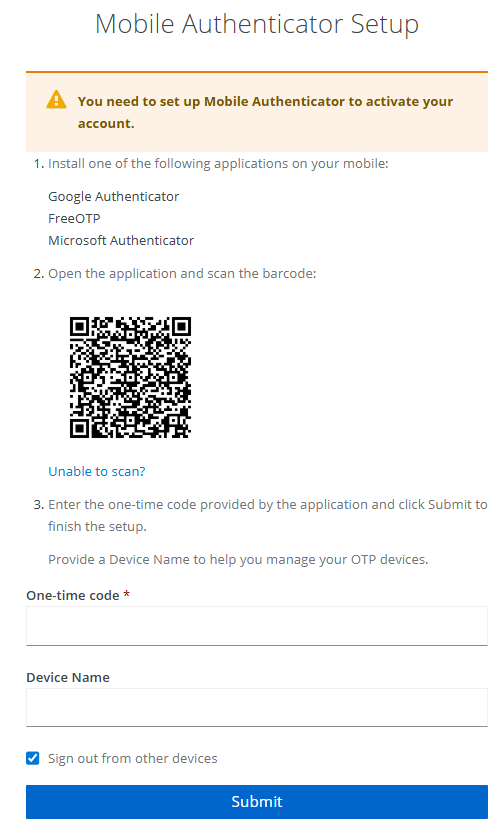
- Install one of the following apps on your mobile device: Google Authenticator, FreeOTP, or Microsoft Authenticator.
- Open the authenticator app and scan the QR code on the setup page.
- Enter the one-time code from your authenticator app.
- (Optional) Enter the device name, and then select Submit.
- Save your recovery codes in a secure location, and then select the checkbox for “I have saved these codes somewhere safe.”
- Select Complete setup. You will receive an email to verify your account.
- Open your verification email and select Verify email.
- After you verify your email, you are ready to access LNDS services. Go to the appropriate service portal and sign in with your new account.