Introduction
The LNDS Service Desk is an online portal where you can request services or get support from LNDS. Create a ticket and track your requests in one place.
You can use the Service Desk to:
- Start a new project with LNDS.
- Report an issue or get help with an existing service.
- Ask anything about us or our services.
Sign in to the Service Desk
-
Open Service Desk in your browser: https://service.desk.lnds.lu.
-
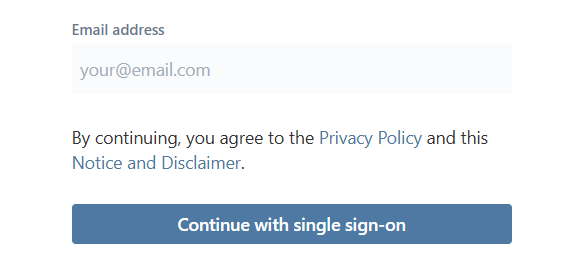
Sign in with your LNDS account. Enter your email address and select Next.
Note: If you don’t have an LNDS account, create a new one by entering your email address, and then select Next.
-
Review the “Privacy Policy” and “Notice and Disclaimer”, and then select Continue with single sign-on. This step applies whether you are signing in or creating a new account.
-
Select one of the authentication methods to verify your identity:
- LuxTrust: Recommended for increased security. You may need to confirm your name and email address after you sign in.
- LNDS: This option is for LNDS employees only.
- Email and password: Use your existing LNDS credentials.
Note: If you are creating a new account, select Email and password, and then select Register. For a step-by-step guide to creating an account, see: Create an LNDS account.
-
After you sign in, the Service Desk home page opens, and you are ready to create a ticket.
What to do in case you cannot sign in?
Please send an e-mail describing your issue to support@lnds.lu.
Create a ticket
-
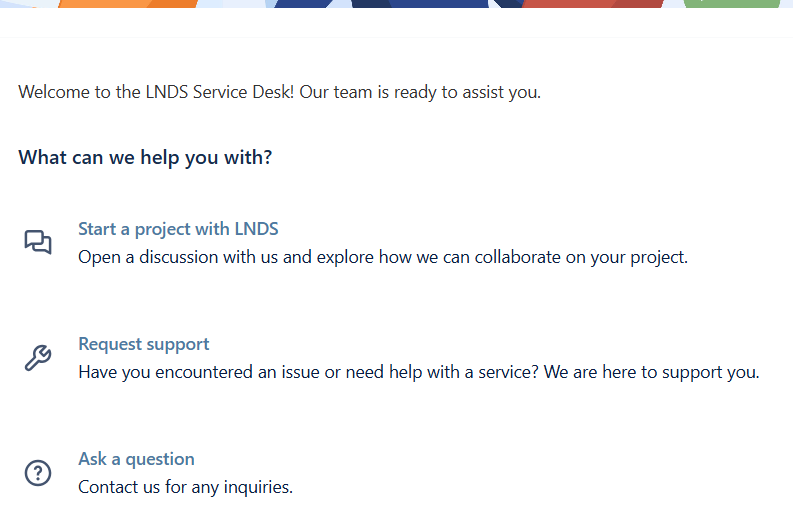
On the Service Desk home page, select your type of request: Start a new project with LNDS, Request support, or Ask a question.
- Fill out the form. Enter as much information as possible to help us understand your request.
- Select Submit. After you submit your request, the page shows your ticket details with your original message. At the same time, you will receive a confirmation email.
Follow up on a ticket
You can follow up on a ticket in two ways:
-
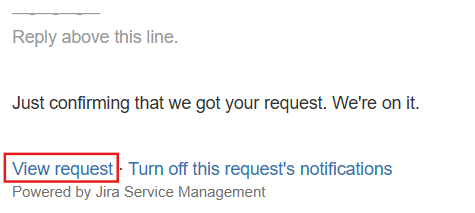
Through the confirmation email: Reply to the email or select View requests to open it in the Service Desk portal.
-
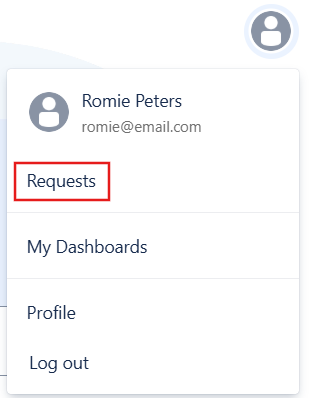
Through the Service Desk portal: Select your profile icon and select Requests. Then, select the ticket you want to view or respond to.